April 6th, 2019
It’s been several years since I’ve posted anything here, and I think it’s time to finally say goodbye. I’m still actively writing about web development, just not on my personal blog anymore. Check out my posts on Smashing Magazine, and also the books I’ve written.
It’s been a fun ride, I’d like to give a heartfelt thanks to everyone who has read and contributed to these posts. But web development is an industry that moves quickly.
When I first started writing, this was mostly a jQuery blog. That seems like a whole century ago, and I can’t remember the last time I wrote any jQuery. Today I’m mostly working with React and a variety of Node frameworks, and also doing a lot of design systems development. And I’m sure I’ll be moving onto something else soon.
To be honest most of the information on this … Read more…
Posted in webdev
October 13th, 2011
OS X Lion was released in July 2011 and includes a number of new upgrades. Some of these are very impressive, such as complex touch gestures for the trackpad. Others are more mundane, such as fullscreen mode for applications and hidden scrollbars. But all things considered the upgrade is definitely worth it.
The problem isn’t Lion, it’s how it has to be installed. You can no longer pick up an install disc from an Apple Retailer, instead you have to download the upgrade from the App Store. For slow connections this can be a nuisance, since the file is almost 4GB.
However, the main problem is that there is no discernible way to perform a clean install. Rather, Lion installs itself on top of Snow Leopard, and then deletes the installer. (Savvy users may know about the clean install method.)
Furthermore, if you have a problem … Read more…
Tags: adobe, apple, dev environment, installation, Lion, mac OSX, workflow
Posted in dev environment | 6 Comments
November 10th, 2010
Data URIs are one of the best techniques in CSS, allowing developers to avoid referencing external images and instead embed them directly into a stylesheet. The main advantage of this approach is to save HTTP requests.
HTTP requests are a huge performance bottleneck, and the reason techniques such as CSS image sprites have been popular for some time. Basically, if you can avoid requesting an extra file, not only does it save your server the work of looking up the file, but it also saves your user the download time. In fact, HTTP request management is so important, that it is the top issue in the Yahoo Performance Rules.
Data URIs are an excellent way to reduce HTTP requests and speed up your pages, so let’s walk through how to use them in all major browsers.
Tags: cross-browser, CSS, data URIs, front-end, HTTP requests, performance
Posted in CSS | 21 Comments
October 21st, 2010
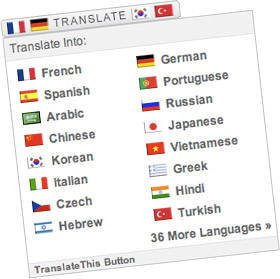
A few days ago I released a new version of the Translate This Button, a free JavaScript translation widget. Of the sites I tested, the translation operation now runs an average of 70% faster. This performance increase adds to several layers of speed improvements made in previous versions.
Additionally, this release includes other enhancements, such as a reduction in HTTP requests and the preservation of DOM-based JavaScript events. Let’s walk through the changes I made; hopefully some of the optimization techniques can be reused in other projects.
Reducing Calls To The Language API
When a translation occurs, the TranslateThis Button parses the DOM, and passes the data to the Google Language API. Google’s JavaScript API imposes a limit of 500 characters per call, so previously the widget chunked out portions of the DOM that were under this limit, then passed them to Google asynchronously.
Although fairly … Read more…
Tags: AJAX, APIs, DOM, HTTP requests, javascript, performance, translation, widgets
Posted in performance | 6 Comments
August 17th, 2010
With IE9 in development and Opera 10.5 released, CSS3 is a few steps away from being supported by all modern browsers. But users may take a while to upgrade, and responsible developers will support legacy browsers for years to come.
For some, cross-browser development means making websites that look exactly the same in all browsers. But if developers continue to cater websites to inadequate browsers such as IE6, then they’re just holding back modern browsers from performing to their potential.
Graceful degradation is not about allowing websites to look bad in older browsers, but about making them look great in modern ones. It means taking advantage of CSS3’s useful features to progressively enhance web pages for the vast majority of users.
Tags: browser hacks, cross-browser, CSS, css3, front-end, graceful degradation, IE, jQuery, web design, webdev
Posted in CSS | 14 Comments
July 29th, 2010
Yesterday’s CSS Summit featured some the best CSS minds presenting on cutting edge CSS issues. There was a ton of great information presented across the 8 sessions, but here’s a wrap up of the single best piece of information from each presenter:
Denise Jacobs – Advanced CSS Troubleshooting
The highlight of Denise’s talk was some specific coding tips about clearing floated content.
She started with the standard overflow: hidden method, which falls short with support for borders & margins and also doesn’t allow scrollbars if they’re needed. Denise suggested instead using overflow: auto; width: 100%; which avoids these issues. You don’t have to use the exact values above, you just have to set some type of overflow and width / height value.
Denise went on to discuss a .clearfix:after method, see the gist.
Denise likes this clearing method since it doesn’t include any extra, non-semantic markup (as … Read more…
Tags: best practices, conferences, cross-browser, CSS, css3, front-end, html5, web design, webdev
Posted in CSS | 1 Comment
May 11th, 2010
When it comes to front-end performance, good asset management is just as important as good code. Simply put: downloading assets takes time.
Computers and browsers now render pages and execute Javascript faster than ever. Although user bandwidth is increasing, the filesize of assets has been growing in turn.
These factors, combined with the rise of the mobile web, have made bandwidth the primary bottleneck in website performance.
Here are 5 simple steps to reduce download times with better asset management on your sites. Read more…
Tags: apache, assets, bandwidth, CSS, downloads, front-end, HTTP header, images, javascript, load-time, server
Posted in performance | 9 Comments
March 30th, 2010
I’ve always been a fan of drawing page components with pure CSS rather than using image support. Although rendering the page with CSS can sometimes be a pain, the rewards of fewer HTTP requests & less download time make it well worthwhile.
Until recently, most web designers and developers couldn’t design using CSS alone, because there simply wasn’t enough cross-browser support for all the wonderful CSS3 attributes.
However, with IE9 just around the corner and Opera 10.5 already released, we are extremely close to the point where we can render web pages in CSS3 across all modern browsers (IE, Firefox, Chrome, Safari, Opera). Legacy browsers won’t get left out, since our CSS3 pages can degrade gracefully to square corners, flat-color backgrounds, etc. Additionally, we can use browser-specific stylesheets that include plain old image support for key design elements that shouldn’t degrade.
CSS3 makes drawing elements with CSS a … Read more…
Tags: best practices, cross-browser, CSS, css3, rendering, UI, web design, webdev
Posted in CSS | 14 Comments
March 25th, 2010
Adobe CS5 is coming out on April 12, and I can’t wait.
This new release comes packed with a ton of awesome new features, such as content-aware fill, painting, better edge detection and time-saving shortcuts.
But this post isn’t about all of CS5’s awesome features, it’s about why you should actually buy it this time around.
In a few weeks, just about anyone will be able to find a torrent, download link or burned copy of CS5. It seems to me that Adobe unofficially condones this, similar to record labels unofficially allowing “leaked” videos on YouTube.
Let’s face it: readily available pirated copies of the Creative Suite allow Adobe to retain what is basically a monopoly on this software. Amateur users, who would never actually purchase the software, find illegal copies and not only learn the Creative Suite, but more importantly don’t learn … Read more…
Tags: adobe, CS5, design, graphic design, licensing, photoshop, web design
Posted in web design | 70 Comments
February 25th, 2010
I just released a new WordPress plugin to leverage the TranslateThis Button, a Javascript translation widget that uses the Google Language API. This plugin provides an easy interface for customizing the options in the TranslateThis Button. The widget can be either be displayed anywhere in your theme with a template tag, or be included as part of the widgetized sidebar.
The plugin provides a variety of settings that can be accessed in the WordPress admin section:
- Control the languages in the dropdown and the text of the various UI elements.
- Enable Google Analytics tracking for translation events.
- Use new button imagery, or disable images altogether, opting for text-only links.
- Confine the translation to the post/comments, or translate the entire page.
- Disable the cookie, or allow the plugin to translate all the pages on your site automatically.
- And more…
Tags: accessibility, freebies, plugins, translation, wordpress
Posted in wordpress | 2 Comments