Posts Tagged ‘widgets’

TranslateThis – A Javascript Translation Widget for Noobs and Nerds Alike

TranslateThis – A Javascript Translation Widget for Noobs and Nerds Alike

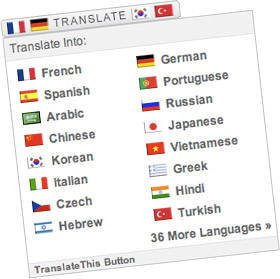
TranslateThis is a new Javascript widget that provides 52 languages of translation by leveraging the Google Language API.

Installing TranslateThis couldn’t be easier—simply copy and paste the widget code anywhere on your website, you don’t have to upload any files or change any settings.

Besides being easy to use, TranslateThis also provides many attractive features for developers. First off, requests to the Language API run in Javascript, so the translation is pretty fast. Additionally, the script is lightweight, weighing in at just over 11kb with another 7kb of imagery. And since it doesn’t depend on any Javascript library, TranslateThis can be implemented on any website without additional overhead. Finally, TranslateThis has been tested in all modern browsers and its user interface is designed to be straightforward and seamless.

Get your own TranslateThis Widget

Read the TranslateThis Documentation

What can you customize in TranslateThis?


QuickFlip jQuery Plugin

Quickflip Plugin for jQuery

QuickFlip is a jQuery plugin I wrote that uses a CSS trick to cause a div, paragraph or any other piece of HTML markup to flip like a card. With a result similar to the UI animation on the iPhone, this jQuery plugin is easily integrated into your webpage to make any portion appear to flip and show its back.

When a flip occurs, the front panel is split in half with Javascript. The right and left halves slide into one another, and afterwards the opposite occurs with the back panel. While it‚Äôs not as smooth as some Flash animation, it all happens so quickly that it really looks like the panel is flipping over (more…)


Dashalytics: Google Analytics for Mac OSX

Dashalytics: Google Analytics for Mac OSX

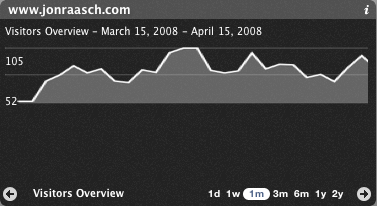
If you’re anything like me you open up Google Analytics with your morning coffee, check your email, then reload Analytics, just in case the cache has refreshed. There’s a new version of an OSX dashboard widget, Dashalytics, that will revolutionize the amount of time you can spend obsessing over minute statistics. Dashalytics puts Google Analytics at your fingertips, providing a quick access point to some of the most used Analytics reports, directly from the dashboard in Mac OSX.

How to use Dashalytics

Configuring Dashalytics is simple, just enter your Google Analytics account information; it even supports multiple Analytics accounts through the keychain on OSX. After logging in, you are able to access the three most used tabs: visitors, content, and traffic sources. Within each of these tabs, there are three different reports, but these sub-reports are essentially only the overview of each tab.

Additionally, Dashalytics provides common … Read more…