Posts Tagged ‘javascript’
October 21st, 2010
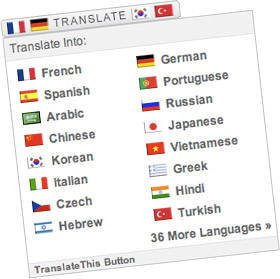
A few days ago I released a new version of the Translate This Button, a free JavaScript translation widget. Of the sites I tested, the translation operation now runs an average of 70% faster. This performance increase adds to several layers of speed improvements made in previous versions.
Additionally, this release includes other enhancements, such as a reduction in HTTP requests and the preservation of DOM-based JavaScript events. Let’s walk through the changes I made; hopefully some of the optimization techniques can be reused in other projects.
Reducing Calls To The Language API
When a translation occurs, the TranslateThis Button parses the DOM, and passes the data to the Google Language API. Google’s JavaScript API imposes a limit of 500 characters per call, so previously the widget chunked out portions of the DOM that were under this limit, then passed them to Google asynchronously.
Although fairly … Read more…
Tags: AJAX, APIs, DOM, HTTP requests, javascript, performance, translation, widgets
Posted in performance | 6 Comments
May 11th, 2010
When it comes to front-end performance, good asset management is just as important as good code. Simply put: downloading assets takes time.
Computers and browsers now render pages and execute Javascript faster than ever. Although user bandwidth is increasing, the filesize of assets has been growing in turn.
These factors, combined with the rise of the mobile web, have made bandwidth the primary bottleneck in website performance.
Here are 5 simple steps to reduce download times with better asset management on your sites. Read more…
Tags: apache, assets, bandwidth, CSS, downloads, front-end, HTTP header, images, javascript, load-time, server
Posted in performance | 9 Comments
February 10th, 2010
Nicholas Zakas is a Javascript guru and principle front-end engineer for the Yahoo! homepage. Zakas just announced his new book High Performance JavaScript, which you should order today.
Zakas is pretty much the man when it comes to Javascript performance, and in June he gave a Google Tech Talk entitled Speed Up Your Javascript.
While Javascript optimization is by no means black-and-white, here’s a list of 10 tips from Nicholas’ talk that will help you write Javascript that really flies.
1. Define local variables
When a variable is referenced, Javascript hunts it down by looping through the different members of the scope chain. This scope chain is the set of variables available within the current scope, and across all major browsers it has at least two items: a set of local variables and a set of global variables.
Simply put, the deeper the engine has to dig into this … Read more…
Tags: 10 tips, best practices, DOM, front-end, javascript, jQuery, loops, optimization, performance, scope, webdev
Posted in 10 Javascript Performance Tips, javascript | 21 Comments
January 5th, 2010
Remember the code from Contra on original Nintendo? Up, up, down, down, left, right, left, right, B, A, start; it’s also known as the Konami Code and the 30 Lives Code.
This famous sequence of buttons from the 80’s isn’t going anywhere: in more recent times it’s been in a Moldy Peaches song, and used as an easter egg in Google Reader and Facebook, to name a few.
But I’m sure tons of great things can still be done with the code from Contra, so I built it into a simple jQuery plugin that can be easily used on any site.
The jQuery Contra Plugin allows you to call a function of your choice whenever a user enters the Konami Code (up, up, down, down, left, right, left, right, b, a, enter).
Download the Contra Plugin
Read the jQuery Contra docs
How to use … Read more…
Tags: code, downloads, easter egg, freebies, javascript, jQuery, Nintendo, plugins, pop culture, throwbacks, video games
Posted in front-end, jQuery Plugins | 5 Comments
December 22nd, 2009
In Javascript it often makes sense to attach a stylesheet rather than style a bunch of individual attributes. Appending a stylesheet to the DOM has a number of advantages:
-
Stylesheets can be easier to work with than Javascript—it’s just more natural to use CSS syntax for styling.
-
It’s nice to avoid the cross-browser headaches associated with Javascript styling. Compare CSS’s simple float: left to Javascript’s style.styleFloat = ‘left’ and style.cssFloat = ‘left’.
-
Appending a stylesheet is better for performance when styling 15 or more elements.
-
CSS allows you to leverage pseudo-classes and define styles with the simple a:hover selector instead of both onmouseover and onmouseout event listeners.
There are a couple ways to append a stylesheet. Although it’s usually best to attach an external stylesheet, there are times when you need to build a stylesheet on the fly with Javascript. Let’s walk through the code we’ll need to append … Read more…
Tags: append, best practices, cross-browser, CSS, DOM, front-end, javascript, on-the-fly, unobtrusive, web standards, webdev
Posted in front-end | 7 Comments
December 8th, 2009
TranslateThis is a new Javascript widget that provides 52 languages of translation by leveraging the Google Language API.
Installing TranslateThis couldn’t be easier—simply copy and paste the widget code anywhere on your website, you don’t have to upload any files or change any settings.
Besides being easy to use, TranslateThis also provides many attractive features for developers. First off, requests to the Language API run in Javascript, so the translation is pretty fast. Additionally, the script is lightweight, weighing in at just over 11kb with another 7kb of imagery. And since it doesn’t depend on any Javascript library, TranslateThis can be implemented on any website without additional overhead. Finally, TranslateThis has been tested in all modern browsers and its user interface is designed to be straightforward and seamless.
What can you customize in TranslateThis?
Tags: AJAX, analytics, cross-browser, customization, downloads, front-end, javascript, performance, plugins, translation, web design, webdev, widgets
Posted in front-end, webdev | 3 Comments
November 19th, 2009
There were a lot of good speakers at today’s jQuery Summit, but Paul Irish‘s talk on jQuery Anti-Patterns for Performance & Compression was my stand-out favorite. Covering a number of advanced jQuery performance optimization techniques, this speech put my knowledge of jQuery optimization to shame.
Before Paul’s talk my understanding of jQuery performance tuning was fairly simplistic:
- Optimize selectors to descend from an id if possible.
- Use tag names when selecting classes and don’t use an excessive number of selectors.
- Define variables instead of selecting the same object repeatedly.
- Optimize your code replacing repetition with object oriented functions.
But the information Paul presented blew all that out of the water. Here are 10 jQuery performance rules I gathered from his presentation:
1. Optimize selectors for Sizzle’s ‘right to left’ model
As of version 1.3, jQuery has been using the Sizzle Javascript Selector Library which works a bit differently from the … Read more…
Tags: front-end, javascript, jQuery, performance, selectors, webdev
Posted in webdev | 25 Comments
August 12th, 2009
My favorite thing about web development is the wide variety of skills it uses. Being a good developer means staying on your toes and always learning, because there are so many important skills and these are constantly changing.
Here’s a checklist of 10 skills that are some of the most important for good web developers to have. These focus a bit on front-end skills, but they apply to all developers:
(more…)
Tags: apache, back-end, best practices, checklists, cross-browser, cyber law, debugging, education, front-end, image processing, javascript, optimization, regex, SEO, version control, web standards, webdev
Posted in webdev | 18 Comments
July 13th, 2009
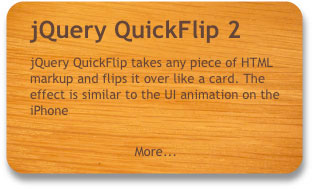
I’m happy to announce the release of QuickFlip 2, a major reworking of the jQuery plugin that flips any piece of HTML markup over like a card. The new version is faster and even easier to use—simply call the flip animation through a jQuery selector and the QuickFlip will flip the front panel to show its back. The flip effect is similar to the UI animation on the iPhone
Download QuickFlip 2 for jQuery
Read the QuickFlip documentation
QuickFlip works by using an animation shortcut that is barely noticeable when flipped quickly (hence the name). This shortcut improves performance while allowing the flip effect to work smoothly with any piece of markup regardless of images, backgrounds or CSS.
It provides an attractive alternative to other slower and more resource heavy Flash and jQuery flip animations. However if you want a smoother option with … Read more…
Tags: animation, front-end, javascript, jQuery, performance, plugins, UI, web design, web2.0, webdev
Posted in webdev | 144 Comments
June 2nd, 2009
Scrolling Parallax is a new jQuery plugin that binds a parallax effect to the scrollbars and mouse wheel. This allows a background image or anything else to scroll at a different pace than the web page when a user scrolls around. The parallax effect that results is an easy way to create an illusion of depth on your website.
Basic use of the Scrolling Parallax plugin is extremely easy. Simply pass the path to an image, and the plugin takes the image and stretches it to the window width and 150% of the height. The extra 50% of the height is scrolled down along with the document, smoothly reaching the end at the same time as the page.
The Scrolling Parallax plugin is also very versatile. There are a wide variety of options including scrolling faster, slower, looping and reversing the animation and tiling the … Read more…
Tags: animation, downloads, front-end, javascript, jQuery, open source, parallax, performance, plugins, web design, webdev
Posted in webdev | 81 Comments